
Client Area

This section can be repurposed a number of ways.

Articles

Mazie Slater Katz & Freeman

At a Glance

Situation:

  • A shared cloud system was leading to serious concerns and problems related to security, performance, and data access.
  • Excessive downtime and poor functionality was resulting in lost billing hours and poor client experiences.
  • Lack of assistance and communication from the MSP meant problems were going unsolved, and the law office was billed for every interaction. As a result, issues compounded while IT costs remained high.

Solution:

  • OWG’s Parallax Private Cloud Desktop

Results:

  • After OWG’s preparation, the client was able to seamlessly transition all of their data and their entire system to a new cloud desktop in eight hours. Employee system onboarding took just four additional hours.
  • The law firm experienced less downtime, enhanced performance, secure remote access, lower IT costs, and
    better overall efficiency.
  • With ongoing and responsive support, the law firm is able to get any IT- and cloud-related issues resolved
    quickly, further enhancing productivity and lowering downtime. It has also led to significant employee satisfaction.

Summary

Mazie Slater Katz & Freeman, a law firm in New Jersey, was dealing with a host of IT issues with their previous MSP, including poor security, limited storage, performance and scaling issues, dropped connections, little to no assistance, and more. As it began to impact their bottom line and clients, they sought a new private cloud solution with OWG and Brandon, the managing partner for OWG’s New Jersey office.

Challenge

Mazie Slater Katz & Freeman was facing a number of IT problems with their previous MSP, Mindcore Technologies, and their supplied cloud platform, CloudNation. When it came to the cloud, the law office was on a shared environment. Data storage and credentials were held in the same back-end systems. This in turn led to severe security concerns and limited storage capacity. When a change was made to the system for one of the MSP’s clients, it would affect all clients on the shared platform, including Mazie Slater Katz & Freeman. They were unable to even get access to some standard security features, such as multifactor authentication.

Due to a lack of resources, the law office was also facing significant performance and scaling issues. User desktop environments were slow, and network connections were often dropping, resulting in missed meetings during remote access. Documents and emails were hard to find on the shared platform and printers were regularly down, which further hurt their workflow and efficiency.

In the midst of these issues, many help desk tickets weren’t being resolved. Those that were resolved took significant time and communication was lackluster at best. Because of the limitations with the shared cloud,
some issues simply couldn’t be fixed. In addition, the MSP was nickel and diming Mazie Slater Katz & Freeman. Problems would be solved one at a time, if they were solved at all, so the MSP could charge more per hour.

All told, this MSP and their cloud solution was costing Mazie Slater Katz & Freeman money. They were charged so much for the fixes, that the law office simply started living with the IT issues rather than contacting the MSP. With the loss of efficiency, lawyers also were losing money when billing their clients for their time.

Mazie Slater Katz & Freeman felt they were being held hostage and wasn’t sure about the path forward.

Discovery

In the face of the need for remote work capabilities in 2020, it became clear that a new solution would be needed. Four years ago, a copy vendor led Mazie Slater Katz & Freeman to OWG. OWG, with their Parallax Private Cloud Desktop, seemed as if it could fix all of the issues they were facing, including the security concerns, connection issues, ticket resolutions, and performance problems.

Solution

Working with Mazie Slater Katz & Freeman, OWG got to work to implement the Parallax Private Cloud Desktop to help support their team and facilitate remote work. Data was migrated and enhancements were made for security measures and system performance. Steps were taken to ensure a smooth transition, for both the data and the system as a whole.

When it was time to make the move, the data and system transition took just eight hours and was done completely overnight. In the morning, OWG worked to get employees set up and up to speed in four hours.

Outcome

BusinessmanThanks to OWG’s private cloud solution, Mazie Slater Katz & Freeman saw efficiency, productivity, and workflow improvements overnight. Documents were easier than ever to access, and they were no longer regularly facing network disconnections. Tracy, the firm administrator, stated that the entire move was “seamless” and that it’s easier than ever to log in and use the system, from the office or from home.

As a result of the Parallax Private Cloud Desktop, Mazie Slater Katz & Freeman was able to reduce downtime, increase billable hours, and cut IT costs.

Reflections

In the face of the need for remote work capabilities in 2020, it became clear that a new solution would be needed. Four years ago, a copy vendor led Mazie Slater Katz & Freeman to OWG. OWG, with their Parallax Private Cloud Desktop, seemed as if it could fix all of the issues they were facing, including the security concerns, connection issues, ticket resolutions, and performance problems.

Reflections

“Nobody likes change. Everyone was leery in the beginning, but it’s seamless and people just have to make the leap.” – Tracy, Firm Administrator, Mazie Slater Katz & Freeman regarding the move to OWG’s Parallax Private Cloud Desktop

When law firms and other organizations work with MSPs, change can be hard – even in the face of mounting issues and costs. Getting employees on board with change can be an uphill battle. In addition, it can often feel like the organization is held hostage by the IT provider or that this is the experience, no matter the vendor. However, that’s not the case.

No matter how trapped an organization feels, there are paths forward and it doesn’t have to be painful. OWG was able to help Mazie Slater Katz & Freeman move on from their previous MSP that simply wasn’t working for them, their clients, or their bottom line. OWG assisted before, during, and after the transition to ensure a seamless move for everyone involved. Although the law firm’s employees were hesitant about change, it quickly became apparent that this new solution would benefit everyone, from the lawyers to their clients.

Conclusion

Choosing the right IT solutions is essential for business efficiency. Working with the wrong MSP and cloud solutions can result in serious concerns with security, data, remote access, performance, efficiency, and other problems.

Mazie Slater Katz & Freeman was able to quickly see tangible results from the transition to OWG’s Parallax Private Cloud Desktop. With ongoing support, they continue to enjoy enhanced efficiency, improved performance, better security, and more, today.
Try a Parallax Private Cloud Demo Today!

Parallax by OWG

At OWG, we’re excited to unveil the latest version of our Parallax Private Cloud Desktop, a revolutionary solution that has been improving our clients’ operations since 2019. Developed to meet the increasing demand for secure, flexible, and customizable IT environments, Parallax has been engineered to provide unparalleled security, scalability, and efficiency. Parallax remains at the cutting edge of cloud computing technology.

What is Parallax Private Cloud Desktop?

The Parallax Private Cloud Desktop is more than just a virtual desktop—it’s a fully customizable IT environment built exclusively for your business. The Parallax cloud desktop is built on a familiar Windows 10/11 OS which doesn’t have the limitations and compatibility challenges of a server operating system made to look and feel like Windows. Unlike many cloud desktop solutions limited by technical constraints, Parallax adapts to your needs, not the other way around. It supports a wide range of business applications, databases, and systems, providing the flexibility to integrate seamlessly into your existing operations. Whether you are migrating from an on-premise setup, a hybrid model, or another cloud platform, Parallax makes the transition smooth and largely seamless. Our structured process—Advise, Build, Secure, Support—ensures each migration is executed with precision, minimizing disruptions and maximizing efficiency.

Key Benefits of Parallax Private Cloud Desktop

Enhanced Security: Parallax is designed with a Zero Trust framework, integrating multi-factor authentication (MFA) and AI-driven threat detection to protect your data. Our platform can be customized to comply with various security frameworks such as ISO, SOC, and HIPAA, working collaboratively with your compliance team to ensure that your business effortlessly adheres to regulatory requirements.

Cost Efficiency: By eliminating the need for on-site servers, power backups, and expensive cooling systems, Parallax drastically reduces IT costs. This enables businesses to reallocate resources toward growth and innovation rather than routine IT maintenance.

Unmatched Accessibility: Parallax allows your employees to securely access their work environments from any device, anywhere. This capability supports remote work and flexible arrangements, ensuring your team stays productive regardless of location.

Scalability: Parallax is built to scale with your business. Our cloud-based platform allows you to expand IT resources seamlessly, without the need for additional hardware investments, ensuring your infrastructure grows with your business.

Expert Support: OWG provides 24/7 expert support tailored to the specific needs of your industry. Our dedicated team ensures the smooth operation of your systems, allowing you to focus on core business objectives with peace of mind.

Advanced Features of Parallax Private Cloud Desktop

Customized IT Environment: Parallax delivers a tailored IT environment that can be configured to your specific business requirements. It supports your line of business applications, databases, and other systems, allowing user populations to be defined with customized access to applications and data, ensuring the right tools are always available to the right teams.

VoIP and Collaboration: Parallax can seamlessly integrate Microsoft Teams, including video, voice, and Microsoft Teams Voice, effectively replacing traditional phone and VoIP systems. This ensures a rich, collaborative experience for your employees, whether they’re in the office or working remotely.

Data Backup and Recovery: Parallax includes air-gapped, encrypted automated backups and disaster recovery solutions, ensuring your data remains safe and accessible even in the event of a disaster. You can choose between geographically redundant or dissimilar backups to fit your business continuity strategy.

Self-Service and Business Process Tools: Parallax features user-friendly self-service tools that allow your team to solve common IT challenges independently. These tools automate tasks usually reserved for IT professionals, simplifying daily operations. Additionally, the OWG customer portal provides access to a suite of business process tools, enhancing operational efficiency and workflow management.

Industries We Serve

Legal: Parallax offers secure, compliant environments that protect sensitive client data, making it easier for law firms to manage information and streamline their operations.

Accounting and Finance: Parallax provides robust solutions for financial institutions, ensuring secure management of financial data and compliance with regulatory standards.

Healthcare and Pharma: Parallax is built to handle sensitive patient data securely. Our platform can be customized to comply with various security frameworks, including HIPAA, working collaboratively with your compliance team to ensure that your business effortlessly adheres to regulatory requirements. This customization ensures reliable, secure operations for healthcare providers while safeguarding patient information.

Entertainment: The entertainment industry benefits from Parallax’s scalable and flexible infrastructure, which supports creative collaboration, high-quality content delivery, and rapid project scaling.

Why Choose Parallax Private Cloud Desktop?

Since 2019, OWG has been at the forefront of cloud computing, offering flexible, secure, and efficient solutions. Parallax Private Cloud Desktop is a standout choice for businesses looking to modernize their IT infrastructure. Its vendor-agnostic design ensures seamless integration with existing systems, supporting a wide variety of business applications without the limitations of traditional cloud platforms. Our comprehensive process—Advise, Build, Secure, Support—ensures that migrations and ongoing IT management are handled expertly, allowing you to focus on growing your business.

Experience the Future of IT

Ready to transform your business operations with Parallax Private Cloud Desktop? Sign up for a free demo today and see how our innovative solution can streamline your workflows, enhance security, and modernize your IT infrastructure.

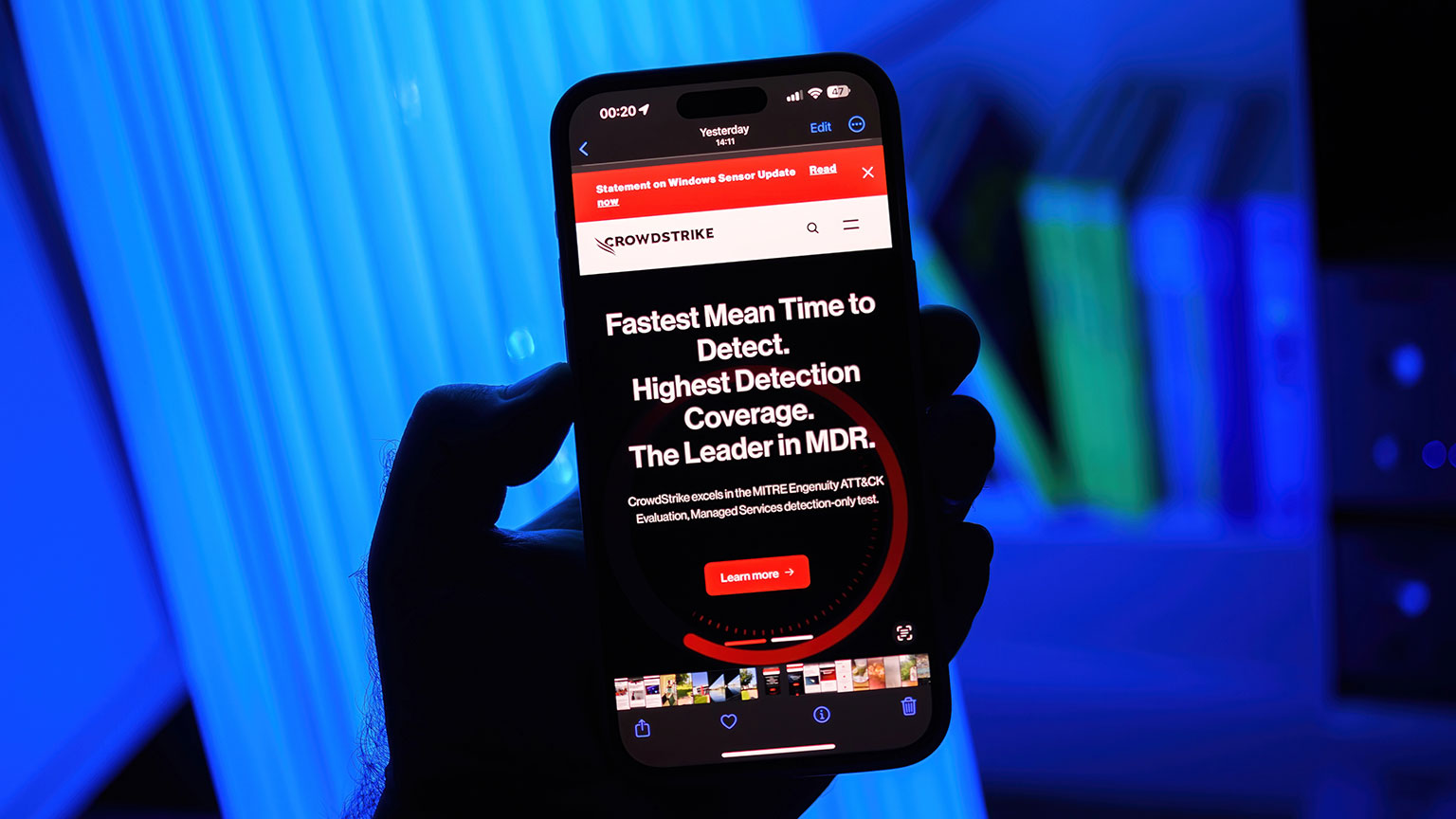
hand holding mobile phone displaying CrowdStrike advertisement

Ensuring Business Continuity Amid IT Disruptions

As business owners, the thought of a sudden system crash disrupting operations, causing data loss, and potentially tarnishing our reputation is a nightmare we all share. The recent CrowdStrike and Microsoft incident is a perfect example of how even routine updates can lead to significant disruptions. Here’s what happened, how it could have been prevented, and why partnering with an It Support team can be your best defense against such digital catastrophes.

What Happened?

On July 19, 2024, CrowdStrike, a renowned cybersecurity company, released an update to their Falcon sensor software designed to enhance security. However, this update contained a logic error that caused millions of Windows devices to crash, displaying the dreaded “blue screen of death” (BSOD). The error led to a system-wide disruption, affecting approximately 8.5 million devices globally. Businesses using BitLocker encryption faced additional challenges, as the recovery process required access to keys stored on the impacted servers. The timing of the update, during business hours across different time zones, exacerbated the situation, causing significant operational disruptions.

How It Could Have Been Prevented

While it’s impossible to eliminate all risks, several measures could have mitigated the impact of this incident:

Rigorous Update Testing

One of the critical aspects of maintaining a secure and reliable IT environment is ensuring that all updates undergo rigorous testing before deployment. The recent CrowdStrike incident highlights how a failure in the Quality Assurance (QA) process can lead to widespread disruptions.

Enhanced Monitoring and Backup Systems

Real-time monitoring systems can detect anomalies quickly, allowing for swift corrective action. Regular backups and accessible recovery keys, especially for encrypted systems, are vital for quick recovery.

Collaborative Incident Response

A comprehensive incident response plan involving collaboration between software providers and end-users ensures streamlined communication and remediation efforts during crises. Swift and transparent communication from vendors is essential to manage and mitigate the impact effectively.

Proper Evaluation of Tools

Choosing the right cybersecurity tools is crucial for maintaining business continuity and avoiding disruptions. While it’s tempting to go with popular choices like CrowdStrike, it’s essential to evaluate tools based on your specific needs and not just general consensus.

How Working with an IT PArtner Can Prevent These Issues

Partnering with an expert IT Support partner offers businesses the expertise and resources needed to prevent and manage such incidents effectively. Here’s how an MSP can help:

Proactive Monitoring and Maintenance

IT support teams provide 24/7 monitoring of systems, identifying and addressing potential issues before they escalate. Regular maintenance and updates managed by IT partners ensure systems are up-to-date and secure.

Robust Backup and Recovery Solutions

Support teams implement comprehensive backup solutions, ensuring data integrity and availability during unexpected outages. Efficient disaster recovery plans tailored to your business needs minimize downtime and data loss.

Expertise and Resources

Access to specialized knowledge and resources that small to medium-sized businesses may lack in-house. A comprehensive IT support team offer comprehensive security strategies, including the latest threat detection and prevention technologies.

Incident Response and Support

Immediate response and support during incidents, providing expertise to mitigate impact and restore operations swiftly. Regular training and updates to clients on best practices for system security and incident handling.

Strengthening Your Business Against Future IT Failures

At OWG, we understand the fears and frustrations that come with potential data loss, damaged reputation, and the risk of losing clients. Our proactive monitoring, robust backup solutions, and expert incident response can help safeguard your business against such disruptions.

Partner with us to ensure your operations run smoothly, even in the face of unforeseen challenges.

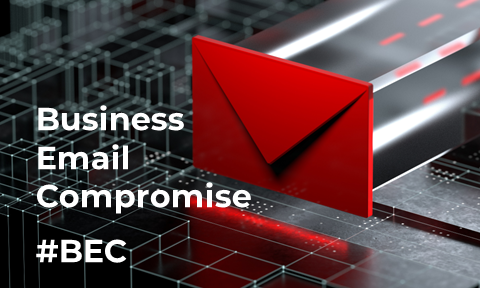
Business Email Compromise –  When the criminal’s reading your email.


We’re all connected – the closer a hacker gets to your vendor, your client, your partner… the closer they are to you. Here’s the story of an advertising agency who thought they were communicating with their event venue.

Inc. estimates 60% of companies go out of business within six months of a cyber attack.

Haven’t we had enough attacks, hacks and breaches? The best offense is a strong defense – it’s time to start defending ourselves! 


Drop your name and email to learn more, or tag our calendar to setup a conversation.

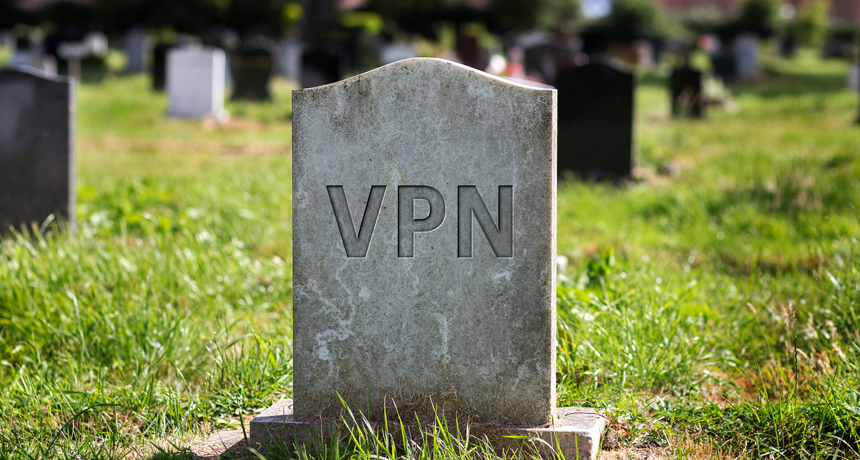
VPN is dead

Today’s modern and mature business can’t function through the VPN or an antiquated remote desktop solution.

Remote access to corporate technology (email, data, infrastructure, financials, etc) isn’t new. Most organizations have had some sort of solution in place for at least the last decade, with stragglers getting a push from the pandemic. 


But as conversations like Zero Trust or UX (the user experience) become more common, our clients look to better position themselves and it’s no longer just about “accessing the network”. Cost, compliance, latency, security, productivity, collaboration – all of these are shaping the way IT teams and corporate leaders consider the future of their information technology and nothing can match a virtualized environment. 


Users want easy access to business applications, data, and email. Managers need productivity analytics and integrated collaboration tools that are easy to use. Regulatory and compliance requirements call for advanced cybersecurity. Finance wants a cost-effective solution with clear billing and no long-term obligations.


The solution is an integrated cloud computing model with a native user experience and services that include analytics, cybersecurity, computing, database, mobile, networking, storage, and web apps.


VPN is Dead
Fortunately, we’ve come to a place and time where all of this possible, at a cost that’s affordable and easy to understand.

Next-Gen Cloud from OWG is built on the Azure infrastructure and from safety to UX we’ve considered it all. For a closer look, check out our published live demo. From a higher level, our solutions let’s you and your team: 

• Stay productive from home and outside the office. Sign on to any device and quickly launch office apps and securely access corporate data.


• Protect IP and business-critical data. Give users freedom and easy access to their work from anywhere over a secure network.


• Control access through the user profile. Conditional access controls determine user access based on user profile, geo- location, team, etc.


• Simplified licensing and billing. Can be included with Offices 365 billing which you’re likely paying already.


• Leverage advanced cybersecurity features. Including integrated and enforceable multi-factor authentication, and auditing features for easy compliance and reporting.


• Remain vendor agnostic. Don’t get hamstrung by your IT services vendor. Next-gen cloud allows you to select the vendor of your choice and makes it easy to leave when you decide.


To learn more, or have a conversation about how Next-Gen Cloud from OWG can benefit your business complete the request for info below, or just book a time on my calendar.  

Customer support experience

Small and midsize businesses deserve the best technology support and services at fair prices. 


Partners in business. Not just words.


These are stressful times, and our support staff understands that you never know what the person on the other end of the phone is going through. 


Providing world class service to the small and midsize business community, our help desk technicians realize they are the front-line for your business.  They bring their a-game every single day and we can’t say enough how much we appreciate all of their efforts! So we’ll let our partners speak for us with this handy animation —


Customer service

Our client satisfaction (C-SAT) rating in 2022 is over 98%. Not getting the experience promised from your IT services provider? We wrote about this recently in our blog on all-inclusive support, and talk about our (more than 100 five-star Google Reviews often.  Delivering on end-results is what OWG is all about. 


Book a time on my calendar and let’s talk about your concerns.

Keyboard with Support Key

For some businesses, an all-inclusive monthly support fee seems like a great option when engaging an IT services vendor.

While in principal we don’t disagree with the model, how does a business leader understand what they’re getting? 


What do you do when “the trip doesn’t match the brochure”? 


Managed IT services contracts generally follow a rigid set of one-size fits all services and support terms. While most issues are covered, many customers find themselves with unexpected monthly bills for issues that don’t fall within agreed to parameters.


So what can you do if you want a predictable billing model? What if that’s the only option the vendor is offering? Here are a few things to do…

1) Review the “fine print”. Discuss service exclusions, data retention fees, technology refreshes, and network updates. These “edge cases” (which many are led to believe will never happen) are in fact where IT vendors can profit the most.  


2) Ask about what’s not included. It’s not just about Service Level Agreements (SLA’s) and response times. Exclusions should also be clearly documented and easily explained. Most IT providers won’t cover things like printers, phones and 3rd party apps. But what if those are critical to your business?


3) Talk with your team.  Understand all your company’s specific technology needs. A more technically savvy staff with modern equipment could require less support, but things like remote access, collaboration tools, cybersecurity, and support for third-party apps should be considered.  


4) Don’t get locked in.  Critical is a solution where you aren’t locked into a single provider and can move business apps and data without a massive lift and shift operation. This is key to the client-vendor relationship and ensures transparent billing and the best service possible.


5) Check the MSP’s reviews! And not just two or three referrals…It’s 2022 and every service business on the planet is being reviewed by satisfied and not-so-satisfied clients. OWG has over 100 five-star reviews. 

It’s important to note that as systems have advanced, some service providers can now match all-inclusive offerings with specific, individualized client needs. 


However, this is more difficult than it sounds and requires a mature MSP with an empathetic approach, and an ability to problem solve. It also requires buy-in from both sides, and a true desire to for that trusted partner relationship. 


Success today stems directly from an organization’s flexibility and its ability to adapt. A trusted IT services partner/MSP is a must-have, and critical for any organization looking to build or even remain competitive. Take your time, chose your partner carefully, and reach out with any questions or concerns. We’re happy to be a resource!

Drop your name and email below to learn more, or tag our calendar and let’s have a conversation.

Incident Response Plan

It’s Monday Morning and your organization was just hit with a cyber-attack.  Your response to the incident in the next few moments is critical.

Do you know what to do next? Does your team? Is the process documented? What’s automated and how much manual intervention will be needed? 


Your company needs a published Incident Response Plan OWG can help you get organized.

NextGen Cloud

Our Cloud sets growth, efficiency, and security within your sights.

How do you manage IT operations, implement and control security policies, maintain a high-level technology strategy?

How is your business adjusting to the hybrid workforce and the stress it places on IT infrastructure, collaboration, and cybersecurity?

Next-Gen Cloud from OWG makes it easy! 

  • Business applications and company data securely reside on platform-independent technology
  • Data and applications are seamlessly delivered to any approved device
  • Workloads are secured with industry-leading tools and artificial intelligence
  • Access is protected in a Zero Trust framework with multi-factor authentication, single-sign-on (SSO), and AI-driven threat detection
  • Your business is free from weather related issues, power outages, fire, flood, theft, or other logistical constraints

To learn how our Next-Gen Cloud can help your business drop your name and email below, or tag our calendar and let’s have a conversation.

Welcome Aboard

I learned long ago that the experience I had on my first day of work at my very first job was fairly unique.

When I showed up to work at 7am my first day, I was given the obligatory office tour, handed my access badge, introduced to the key players on my team, shown the lunch room, and received a very warm welcome. 


Once it was time to get to work, I was shown where my desk was; on the desk was a branded tin box with a mouse keychain, flash drive, pen (all branded), a box of business cards with my name spelled correctly and a polo shirt in my size. I didn’t appreciate this at the time but I do now.‍

On my desk was a large envelope with the following inside:


  • My usernames and temporary passwords for all company technology
  • A welcome letter wishing me success within the organization
  • A contact list for all the departments and key players 
  • A laminated card with details on contacting the Service Desk

I read through all of the materials and I was off to the races within a few minutes. From that point forward I knew who to email for anything I needed, call for support, and where to send just about any kind of request. Asking for support within the organization was easy and there was never any doubt that what was needed would get handled and handled in a timely fashion. I didn’t think much about it at the time to be perfectly honest and being my first job, I subconsciously assumed this was just how employee orientation and onboardings were handled everywhere, but I could not have been more wrong! This was in 2006 and thinking back, is pretty impressive for the time.

Years later, I was flown into a new city for an interview and subsequently accepted an assignment with a new organization. The first impression was vastly different. My laptop hadn’t arrived, so I used my personal laptop for a week. I had no idea who to call to get logged in to company applications; it also turned out that the person who I was supposed to report to had been relocated to a different division — I had no boss?!  It took me at least a week to get access to all company applications, all my logins to various platforms, and finally a company laptop. A few weeks later my business cards arrived with my email address spelled incorrectly so those became scrap paper.

New user frustration

While I enjoyed my time and the challenge of that project, in hindsight, my “orientation” and onboarding experience was indicative of things to come and unfortunately it set the tone for the bulk of the subsequent work my team and I had. Sadly, the experience became a bit of an internally accepted joke.

Since then, my career has shifted more towards the service delivery aspect of the IT industry and luckily, I was able to retain both of those experiences and apply my experiences from both sides of the coin. I now know what is possible and learned valuable lessons from both experiences.

Overseeing ITSM practices for an MSP comes with a new set of challenges. We work with thousands of users from hundreds of different partner organizations spanning many different sectors. Each group maintains different leadership styles at each helm. 

I firmly believe that the relationship and confidence in our service all starts from an employee’s very first day and from the very first time an end user logs in to their company computer.

In my current role, I often ask myself questions such as:

 
  • What will their first experience with IT and their new employer be like?
  • Will they know how to get ahold of our service desk for support?
  • Will they know what software and systems we support?
  • Do we have processes in place to make the technology aspects of their job as seamless as possible?
  • How do we make sure they know we truly care and want to support their needs?

How do we do it today?


As part of continual service improvement, below are a few steps we have taken and questions our team must review on a regular basis to make sure we are creating the best possible first impression for our own new employees as well as those of our partner organizations.

  • Creating unique onboarding forms for each of our partner organizations
  • Each form generates a series of service tasks 
  • All get assigned directly to our onboarding team

When these forms are submitted, do we know the who, what, where and when of everything pertaining to that new user from an IT standpoint?

  • Communicating realistic expectations to our partners 
  • Clearly addressing needs and timelines

How much time is needed to procure devices? How much notice do we need from the submitter?

  • Knowing and understanding our inventory
  • Understanding the capabilities of our suppliers
  • Being realistic with current supply chains issues 

What do we have in stock today? What does the current supply-chain look like? How fast can we get equipment to a remote location?

Are we delivering new credentials in a secure way? Is 2FA a part of our on-boarding checklist? (Passwords on a sticky note just don’t fly with our team.)


Does a staff accountant need a different computer than a graphic designer? Does a graphic designer need QuickBooks? The word standard means repeatable and repeatable always equates to a better user experience and is almost certainly more efficient.


How long does each onboard take? How many are we doing? How many tickets do new users open after they start? Are there seasonal trends we can prepare for? What can we automate? 

  • Maintaining a living, breathing Service Catalog for all users that contains:
  • Instructions on how to get ahold of our service desk using their preferred channel (Portal, email, phone, etc)
  • Ticketing portal for guided support on common ticket types
  • Clear guidelines on what we support and what we don’t support
  • Clear explanations on how we provide support and what to expect
  • A flowchart of ticket handling practices we use to provide the best support possible
  • How to get emergency support after-hours
  • How to provide real-time feedback directly from a service ticket (positive or constructive)
Trust

Our process will likely never be perfect, nor will there ever be a one-size-fits-all manual for all businesses and users, but we can keep striving to get better on every interaction and create the best possible first impression for our partners’ users on their first day.

We believe this reflects just as much on the organization itself as it does on our services. It should not matter what title or position a new user holds — trust and confidence (or lack-thereof) is slow to be gained, quick to be lost and can be extremely contagious.